How can I request a quote for multiple items?
Adding multiple items to a single quote
- Go to the first product page and select your specifications.
- Click Request a Quote.
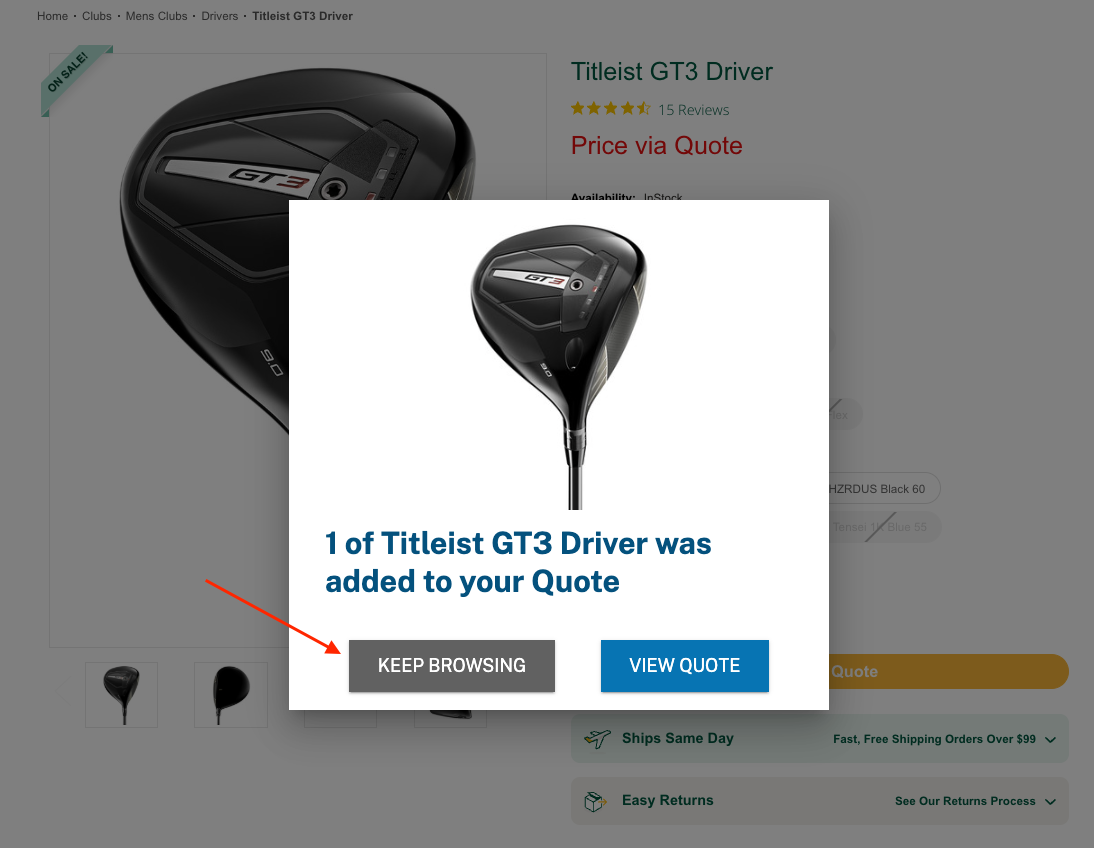
- When prompted, click Keep Browsing to continue adding items to the same quote.
- Repeat for each additional item you want to include.
- When finished, click View Quote to review all items and enter your contact details.
Completing your purchase from a quote
- Open the quote email and click Proceed to Checkout.
- You will be taken to the GolfBox secure checkout to finalise payment.
- At this stage, you can also add any other items that do not require quoted pricing to the same cart.
Troubleshooting
Comments
0 comments
Article is closed for comments.